SIP services
Info
This article was written by operator Dave M7TLB, for the Amateur Radio community.
Reach out to me via QRZ for any additions and omissions.
What is SIP/VoIP?
SIP (Session Initiation Protocol) and VoIP (Voice over IP) are a collection of technologies that allow voice and fax communication over the Internet. It's actually a lot more complex than this, but it doesn't need to be. Feel free to read up on the two if that's your thing.
For the purposes of this document, the terms "SIP" and "VoIP" are used interchangeably to refer to the service that allows all of this magic to happen.
But ultimately, it amounts to being able to use a telephone - either a compatible physical phone on your desk, or a piece of software on your smartphone or computer - to talk to other people over the internet on the same system. Many telecoms operators around the world are starting to use this technology rather than fixed-line telephones on a dedicated piece of wire from your local telephone exchange or cable operator.
For example, I can pick up the handset on my desk phone, press the line for Hams Over IP (see the list below), dial the extension 200031, and a phone will ring in the Amateur Radio shack of my friend Mark 2E1CEQ in the south of England. It's only because he and I are on the same network (Hams Over IP, in this example) that we are able to communicate in this way. It is possible to have a link between different systems, but that can never be guaranteed... so I'm going to work on the basis that all of them are standalone.
What kind of phone do I need?
You can use what's called a hardphone - like a Cisco SPA525G:
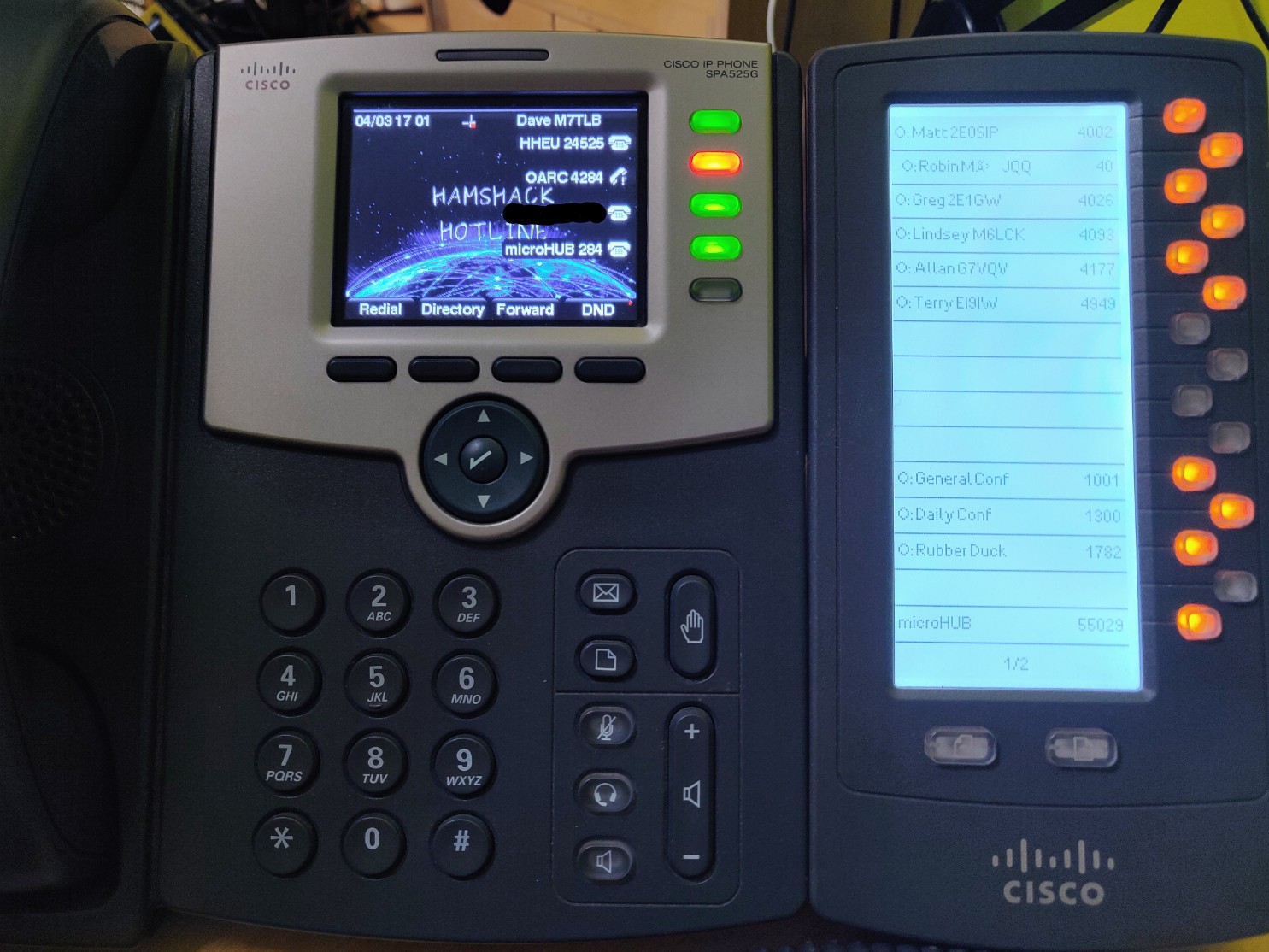
... or a softphone, like Acrobits Groundwire for smartphone, Zoiper or Linphone for smartphone and desktop, or MicroSIP for Windows only.
There are loads - and I mean loads - of hard and softphones available. Even Wikipedia's Comparison of VoIP software page doesn't even come close.
Personally, I use:
- a Fanvil X210V2 on my office/studio/shack desk, 9 lines in use (out of 20),
- a Cisco SPA525G2 for portable use - 5 lines (out of 5), and
- Groundwire on my Android phone and tablet - 8 lines active
So I can only call other phones?
Actually, no... as this is an Amateur Radio service, one of the other key purposes of these VoIP services is to be able to interface with various types of nodes (e.g. AllStar or DMR) from that phone.
For example, on the Extended Freedom service, you can dial 2195 and be patched into the Extended Freedom multimode network (via Allstar). Or on Hams Over IP, you can dial 35002 and be patched into the Digital Voice New Zealand network. As an operator! Once connected, you simply dial *99 to key up and # to dekey, so you're effectively using your SIP phone as a radio!
Check out the Phonebooks of the respective services below to see what nodes are available.
List of SIP services
Given that this document is aimed at Amateur Radio operators - and you need a valid radio license to apply to use these services - I've only listed VoIP services that are focused on Amateur Radio operators.
Where there is a  , it means that I use that service.
| SIP Service Name | URL | Community | Phonebook | Helpdesk | Wiki | |
|---|---|---|---|---|---|---|
|
Hams Over IP (HoIP) | hamsoverip.com | Discord | Phonebook | Helpdesk | Wiki |
|
Amateur Wire | amateurwire.org | Discord | Phonebook | ||
|
Extended Freedom | extendedfreedom.network | ||||
|
Hamshack Hotline | hamshackhotline.com | Discord | Phonebook | Services | Helpdesk | Wiki |
Info
This is not an official list, nor is it exhaustive... just some links I put together in one place.
Your mileage will vary, obviously. Let me know if anything needs adding or amending.
Ok, so now what?
Andreas MØFXB has put together a whole raft of videos on his YouTube channel that help to explain how to get setup on the services, and a lot more besides.